Projects
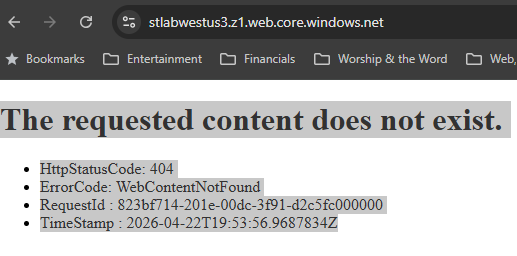
Deployed two storage accounts demonstrating different redundancy tiers — LRS for active workloads, GRS for disaster recovery — then built out the full access control surface: SAS tokens, stored access policies, lifecycle management rules, and a static website. Finished by removing the storage account from the public internet entirely using a private endpoint and split-horizon DNS, confirming that the same hostname resolves to a private IP inside the VNet and returns a 404 (not 403) from the public internet.
Two SAS token types with fundamentally different security postures:
| Type | Auth basis | Revocable? | Use case |
|---|---|---|---|
| Ad-hoc SAS | Account key | No — must rotate account key | Never in production |
| Policy-linked SAS | Stored access policy | Yes — delete the policy | All production use |
Ad-hoc SAS is like cash — once issued, it cannot be recalled before expiry. Policy-linked SAS is like a credit card — compromise means deleting the policy, not disrupting all other applications sharing the account key.
Storage accounts & access control — project4-storage-accounts.svg Lifecycle policy & redundancy — project4-lifecycle-redundancy.svg- Storage account names — no hyphens, globally unique — Names must be lowercase, 3–24
chars, no hyphens, unique across all of Azure.
st-az104-dev-wus3-01is invalid.staz104devwus301is correct. Include an owner prefix to avoid collisions with other tenants. - Confirm-then-lockdown sequence for private endpoints — Deploy endpoint → verify
private IP resolution via
nslookup→ disable public access → verify public returns 404. Re-enable before teardown — CLI commands from Cloud Shell cannot reach a storage account with public access disabled. - 404 is the stronger security posture — When public access is disabled, Azure Storage returns 404, not 403. A 403 reveals the resource exists. A 404 reveals nothing. This is intentional Azure behavior.
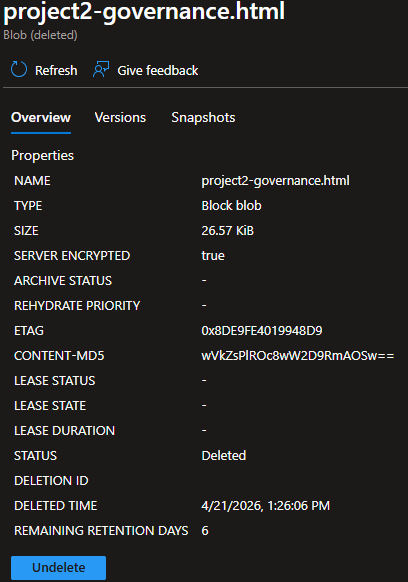
- Soft delete — re-enable before testing deletion — With soft delete enabled, deleted blobs are retained for the retention period and can be undeleted. Demonstrated by deleting a blob, viewing it in the soft-deleted state, and restoring it via the undelete operation.
Linking only to vnet-hub means vnet-spoke VMs query Azure DNS without the private zone override and receive the public IP. DNS resolution and network routing are independent — peering establishes the route; VNet DNS zone links determine which IP is returned. Both must be configured.


Deployed a cross-zone pair of VMs — Windows Server 2025 Azure Edition
in Zone 1, Ubuntu 24.04 in Zone 2 — demonstrating zone-redundant
architecture. Both VMs deployed with no public IPs; all access via
Bastion or az vm run-command. Extensions automated
post-deployment configuration without requiring interactive access:
Custom Script Extension installed IIS on Windows, BGInfo wrote
system metadata to the desktop wallpaper. Disk operations covered
attach, UUID-based mount (never device name), online resize, and snapshot.
Extensions are agents that run inside the VM after deployment. The Azure platform delivers them without requiring any interactive session:
- Custom Script Extension — Fetches a script from a storage blob and executes it. Used to install IIS and configure a test page. The CSE agent makes an anonymous HTTP fetch — use service SAS (account key auth), not user delegation SAS, or the download returns 403.
- BGInfo — Writes hostname, IP address, OS version, and uptime to the desktop
wallpaper. No longer in the portal marketplace; deploy via CLI only:
az vm extension set --name BGInfo --publisher Microsoft.Compute. - MDE.Windows / MDE.Linux — Microsoft Defender for Endpoint is deployed automatically by Defender for Cloud. Leave in place — it provides security telemetry.
- Windows computerName — 15 character limit — Azure resource name can be any
length,
but Windows OS hostname is hard-limited to 15 characters.
vm-win-dev-wus3-01is 18 chars and fails at provisioning. PasscomputerNameas a separate explicit parameter in Bicep — do not rely ontake(vmName, 15)for multi-VM deployments, which produces duplicate names. - Linux disk mount — UUID, never device name — Device names
(
/dev/sda,/dev/sdb) can shift on reboot or when another disk is added. UUID never changes. Always use UUID in fstab with thenofailflag — without it, a missing disk prevents the VM from booting. - Disk resize is two separate steps —
az disk update --size-gbexpands the block device at the Azure layer.sudo resize2fsexpands the filesystem inside the OS to use the new space. One without the other leaves the disk unusable at the expanded size. - Never mount data disks at /mnt — Azure Linux agent mounts the temporary disk at
/mntby default. Mounting a data disk there creates a conflict — after reboot the temp disk wins. Use/dataor any other path.
patchMode: 'AutomaticByOS' fails with InvalidParameter on Windows
Server
2025 Azure Edition. Required config: patchMode: 'AutomaticByPlatform',
enableHotpatching: true inside patchSettings, with
rebootSetting: 'IfRequired'. The enableHotpatching property belongs
inside
patchSettings, not directly in windowsConfiguration.
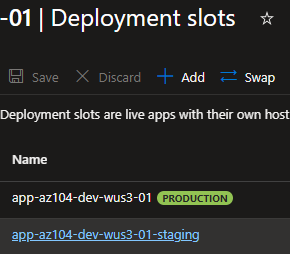
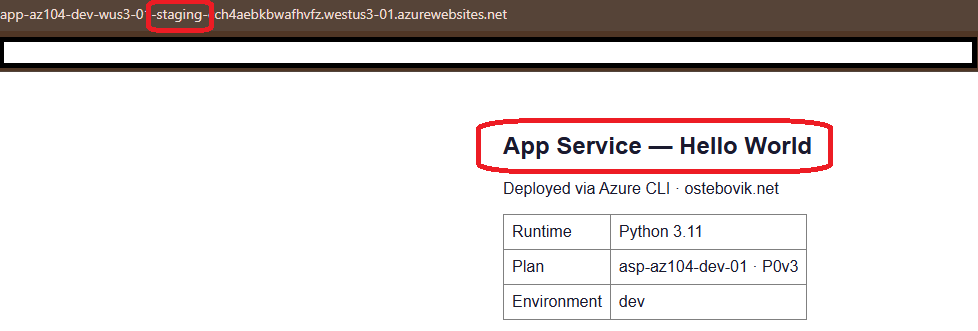
Deployed an App Service plan with a Python 3.11 web app and a staging
deployment slot, demonstrating blue/green deployment: deploy a new
version to staging, validate it, then swap to production in under
30 seconds with zero downtime. Slot-sticky app settings stay with
the slot during swaps — so the ENVIRONMENT variable
always reflects the correct environment regardless of which code
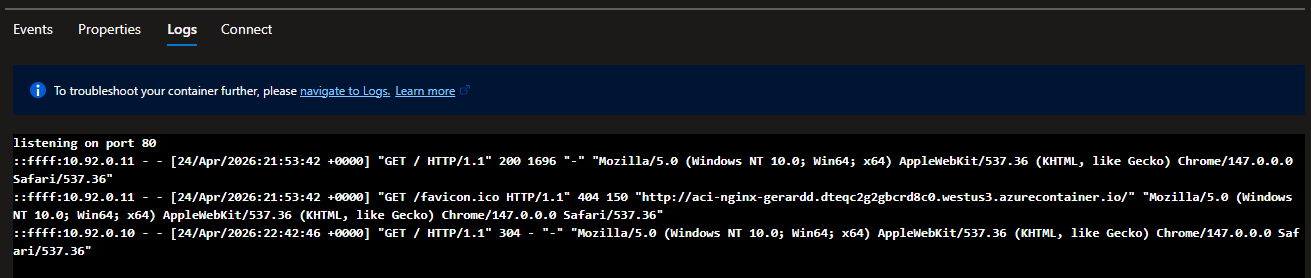
revision is running. Also deployed an Azure Container Instance running
nginx to demonstrate the lightest-weight compute option in Azure:
no VM, no plan, a running container in under 60 seconds.
App Service is like a managed apartment building — Azure handles infrastructure; you move in your app. A deployment slot is a second apartment in the same building. Swapping exchanges the front doors: staging becomes production and production becomes staging. No one notices the move happened.
az webapp deployment slot swap \
-g rg-az104-dev-wus3-01 \
-n app-az104-dev-wus3-01 \
--slot staging \
--target-slot production
- P0v3 minimum for deployment slots — Deployment slots require Standard tier or higher. P0v3 is the smallest non-legacy tier that supports slots (~$41/mo). Free and Basic tiers are shown as "Legacy" in the current portal — Standard is the correct starting point for any production-pattern deployment.
- Slot-sticky settings stay with the slot — The
ENVIRONMENTapp setting is marked as a slot setting so it doesn't swap with the code. Production always showsENVIRONMENT=productionand staging always showsENVIRONMENT=stagingregardless of which version is deployed where. This is how you track what's running where without hardcoding it in the application. - Managed identity at creation time —
--assign-identity "[system]"ataz webapp createtime. Assigning after creation introduces a timing window where an RBAC assignment might be attempted before the identity GUID exists in Entra ID. - KV reference strings — use Cloud Shell, not PowerShell — The
@symbol and parentheses in Key Vault reference values cause parsing failures in PowerShell even inside quotes. Use Cloud Shell Bash for anyaz webapp config appsettings setcommands containing KV references.
ACI — Single container, job-style or short-lived workloads. No persistent storage, no autoscale. Fastest cold start. App Service — Platform-managed PaaS. Ideal for web apps and APIs where you want deployment slots, autoscale, and built-in CI/CD without managing infrastructure. VMs — Full OS control required, legacy software, non-HTTP workloads, or when you need to configure the network stack directly.

Deployed a complete container workload using infrastructure-as-code
throughout — no portal clicks for resource creation. The stack:
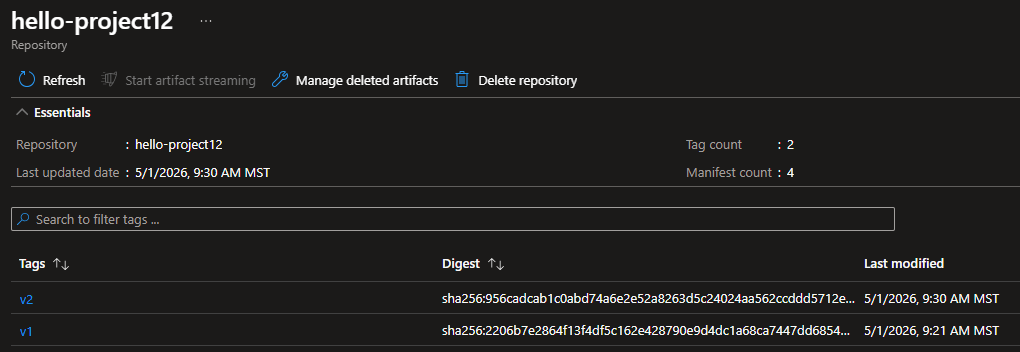
Azure Container Registry (acrdevwus301) storing two image
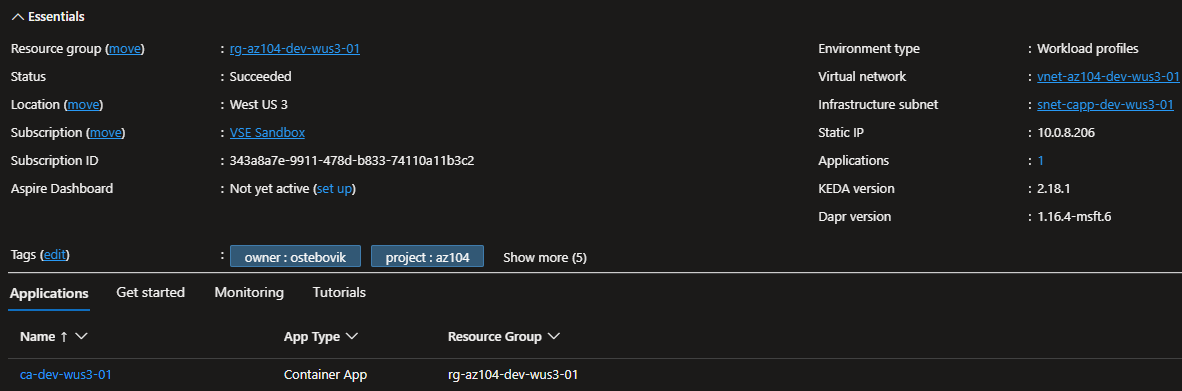
versions built via different methods, a VNet-injected Container Apps
Environment on a dedicated /23 subnet delegated to
Microsoft.App/environments, and a Container App running
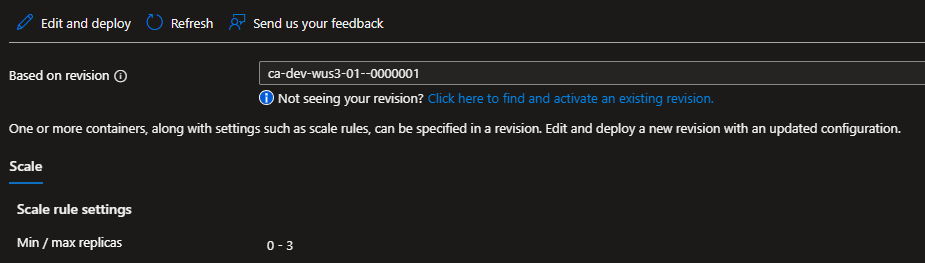
nginx with a system-assigned managed identity, scale-to-zero
configuration, and an 80/20 canary traffic split between revisions.
No credentials stored anywhere in the deployment chain.
- Local Docker build + push (v1) — Build happens on the local machine. Docker Engine stamps the image, tags it with the full registry path, pushes each layer to ACR. Layers from prior pushes are reused. Requires Docker Desktop running locally.
- ACR Tasks cloud build (v2) —
az acr builduploads the Dockerfile and context to Azure. ACR spins up a build agent, executes the Dockerfile, pushes the result — all in the cloud. No local Docker daemon required. This is how CI/CD pipelines build images.
- Scale to zero — minReplicas: 0 — The Container App runs zero instances when idle. Cost drops to zero. First request cold-starts a new instance in seconds. For workloads with uneven demand — internal tools, APIs called during business hours — this is a significant cost advantage over App Service, which idles at a fixed price regardless of traffic.
- Canary deployment via traffic splitting — 80% of requests route to the
stable
v1
revision, 20% to the new v2 revision. If v2 shows problems, shift 100% back to v1 without
redeployment. Traffic weights are managed via CLI post-deploy
(
az containerapp ingress traffic set) — not in Bicep, because revision names are auto-generated at deploy time and unknown at template authoring time. - Two-pass deployment for role assignment — System-assigned managed identity only exists after the Container App is created, so the AcrPull role assignment cannot happen in the same deployment pass. Production-grade solution: user-assigned managed identity created as infrastructure before the app, with the role pre-assigned. The identity exists independently of any app.
- Internal CAE is immutable — The Container Apps Environment was declared internal at creation time and cannot be changed afterward. Redeploy required to change to external. This was a deliberate design choice following the no-public-IP posture established across all lab resources.
The target subnet must be delegated to Microsoft.App/environments before the
Container
Apps Environment can be created. Minimum subnet size is /23 (512 addresses). Delegation
belongs in
the
subnet creation command and bootstrap script — not discovered at deploy time from a failed
provisioning attempt.